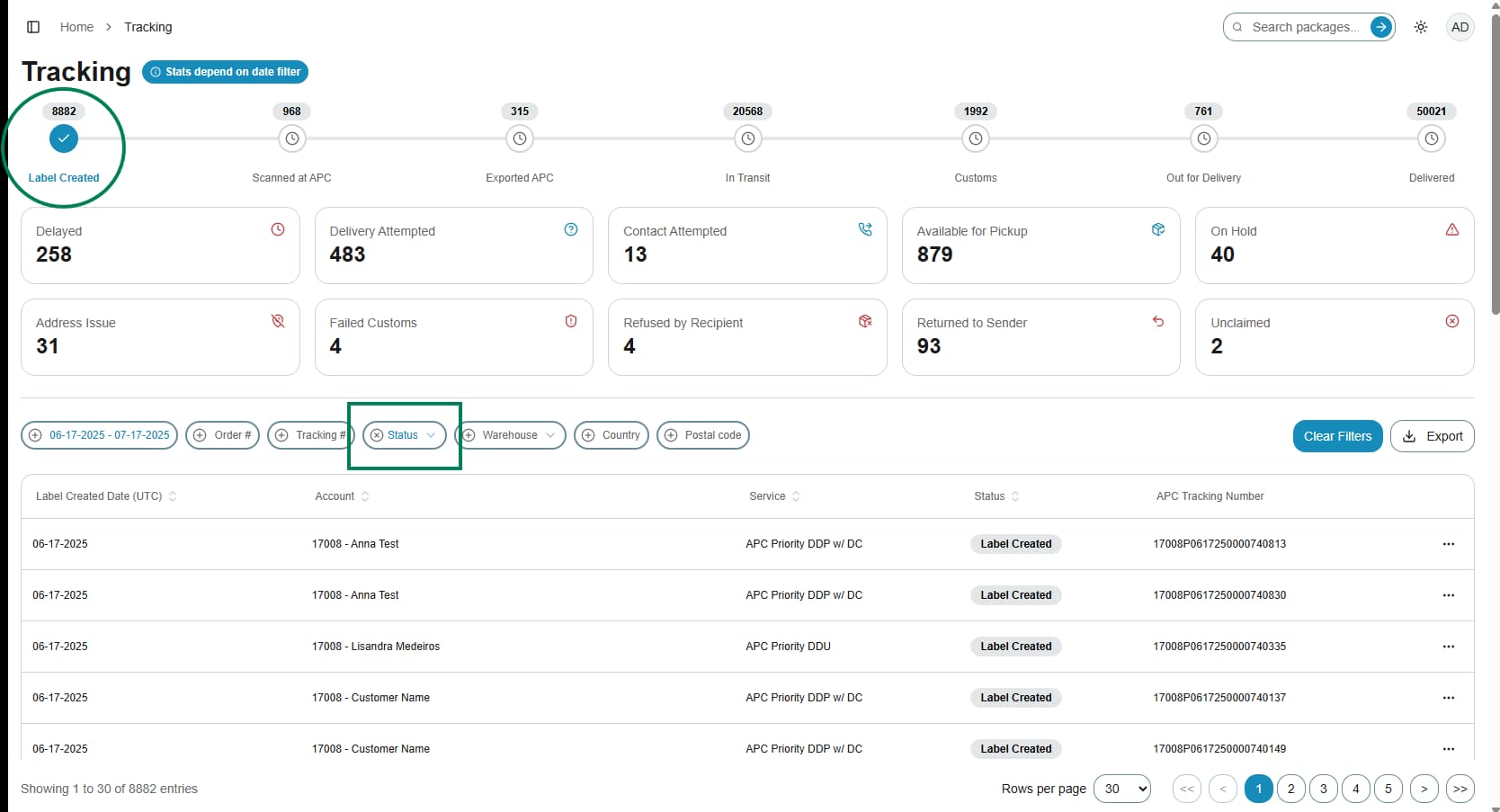
How to Filter Shipments on the Status Bar
This guide will show you how to use filters present on the status bar.
1. Navigate to the Tracking page https://app.apc-pli.com/tracking
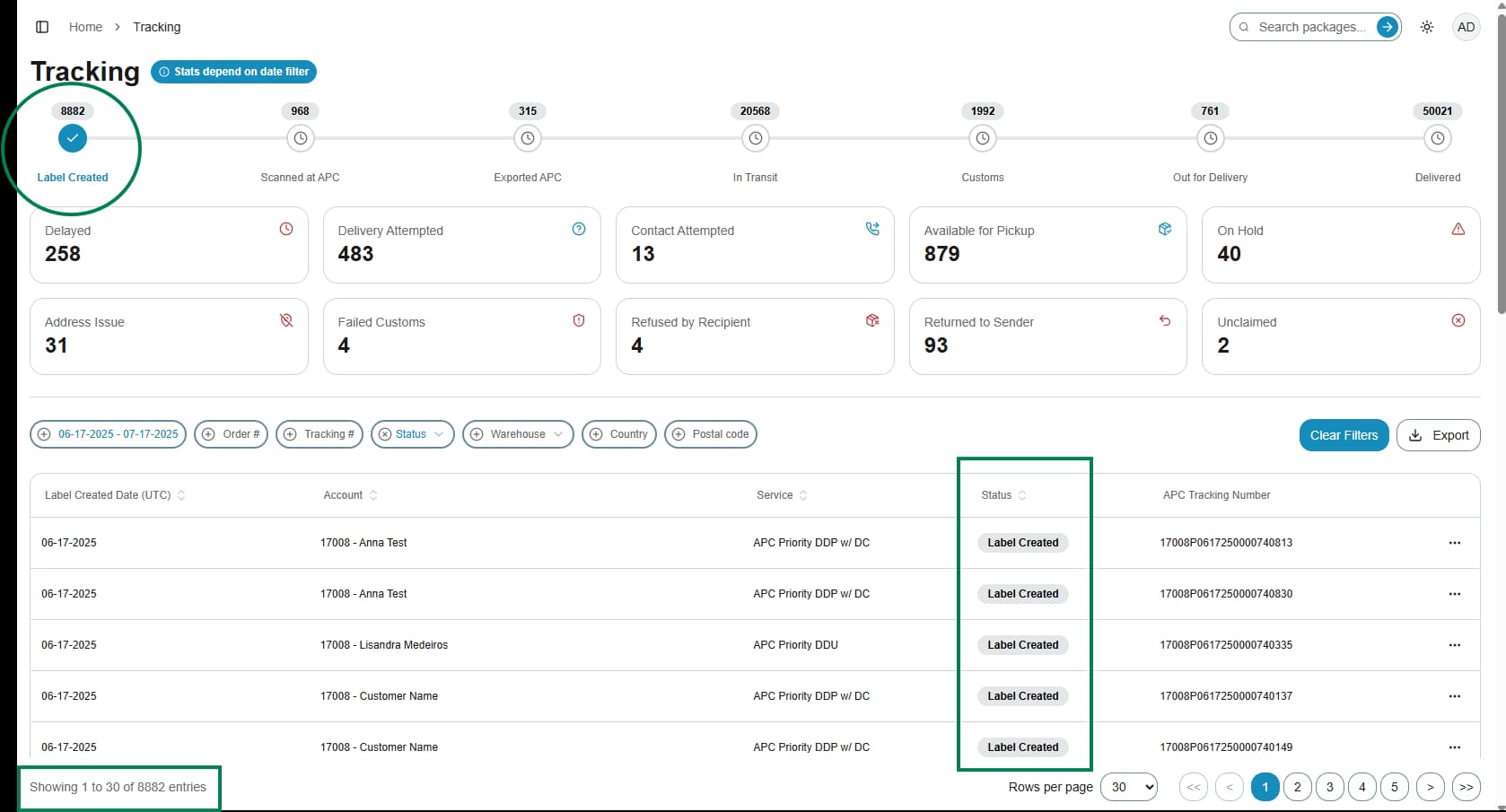
On the Status Bar (pizza tracker) are the package milestone statuses, from Label Created to Delivered.
By default, the Tracking page shows packages with labels created (data received) in the Last 30 Days. You can customize the date range to see as far back as Last 60 Days.
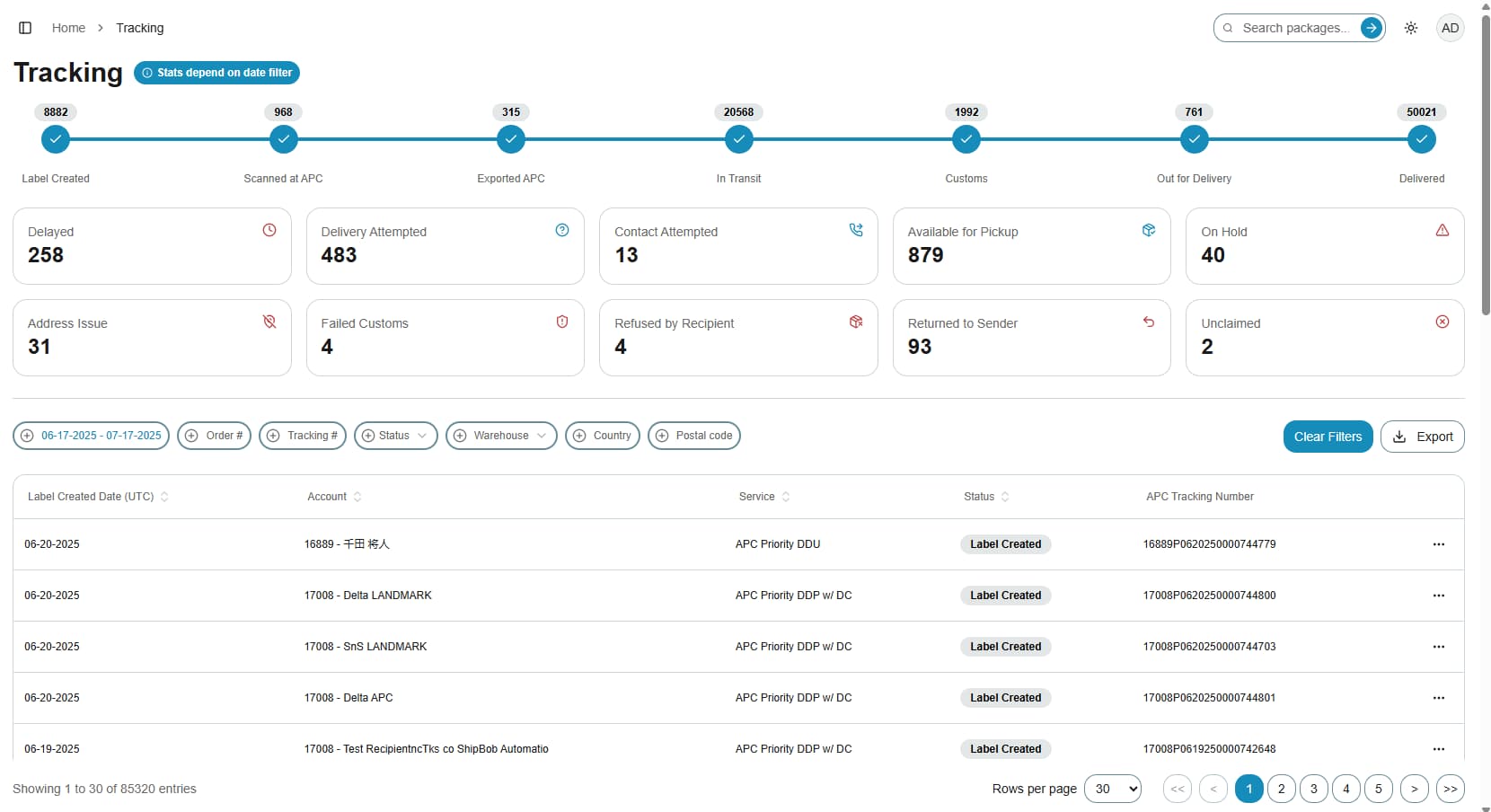
2. Using milestones
When you click any of the milestones on the Status Bar:
- The rest of the milestone statuses are de-selected.
- The table at the bottom of the page updates to show only the packages that currently fall under the selected status.
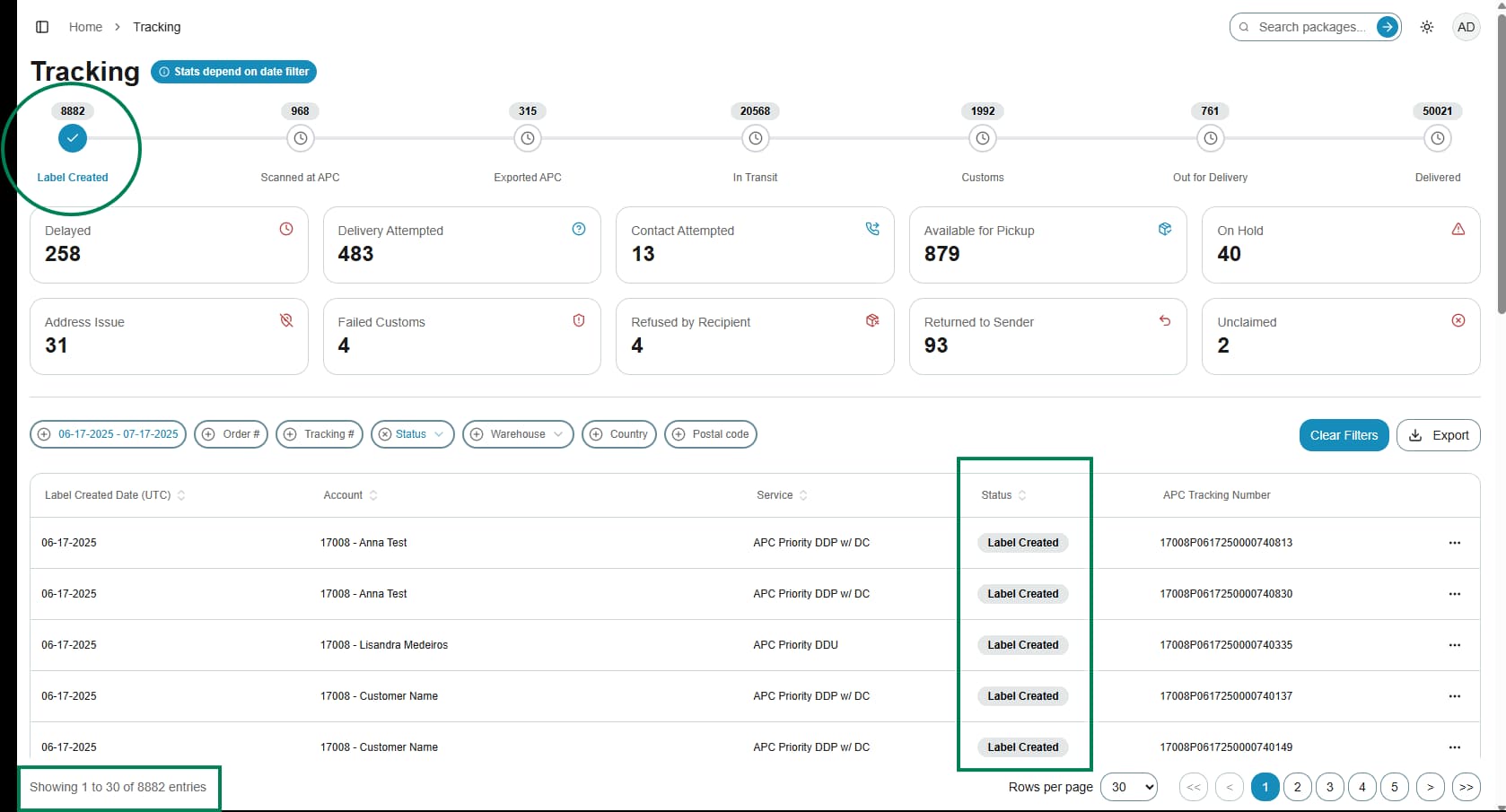
3. Example of table when Label Created is selected on the Status Bar:
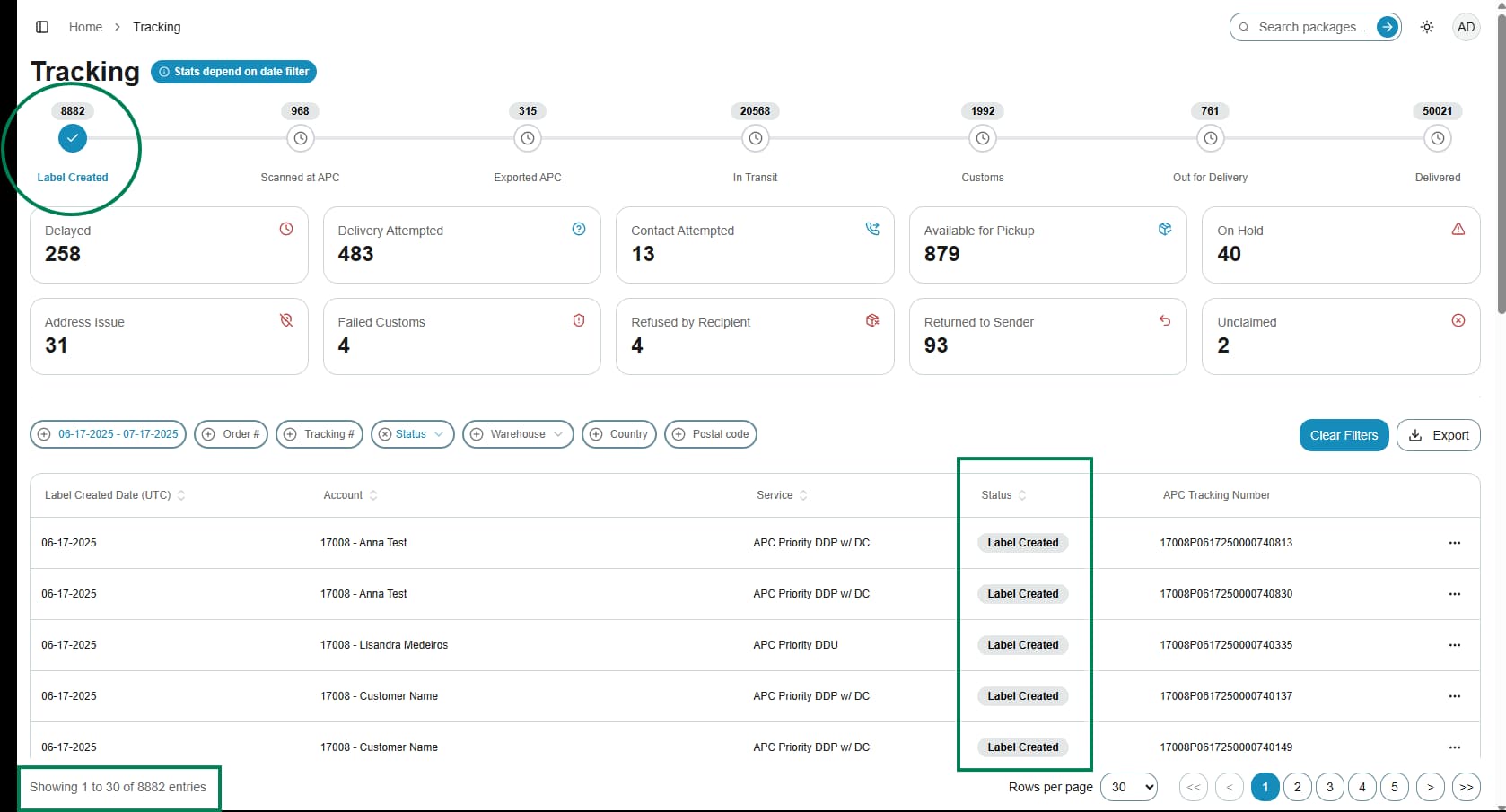
4. Example of table when Label Created is selected on the Status Bar:
5. Resetting view
If you want to see all packages again, you can re-click the selected milestone on the Status Bar or click the X symbol next to the Status filter pill.